Bevell vs Inkscape Trace Bitmap
A free vector editor with a tracer, or a converter built for CAD output.
Inkscape is a free, open source vector editor for Windows, Mac and Linux. Its Trace Bitmap turns a raster image into paths, and Save a Copy writes them as DXF through its Desktop Cutting Plotter (AutoCAD DXF R12 or R14) formats.
Bevell is a converter rather than an editor. It traces a scan, sketch or photo straight to a DXF and an SVG in millimetres, at a size you set from one known dimension, with circles and arcs kept as circular geometry rather than splines.
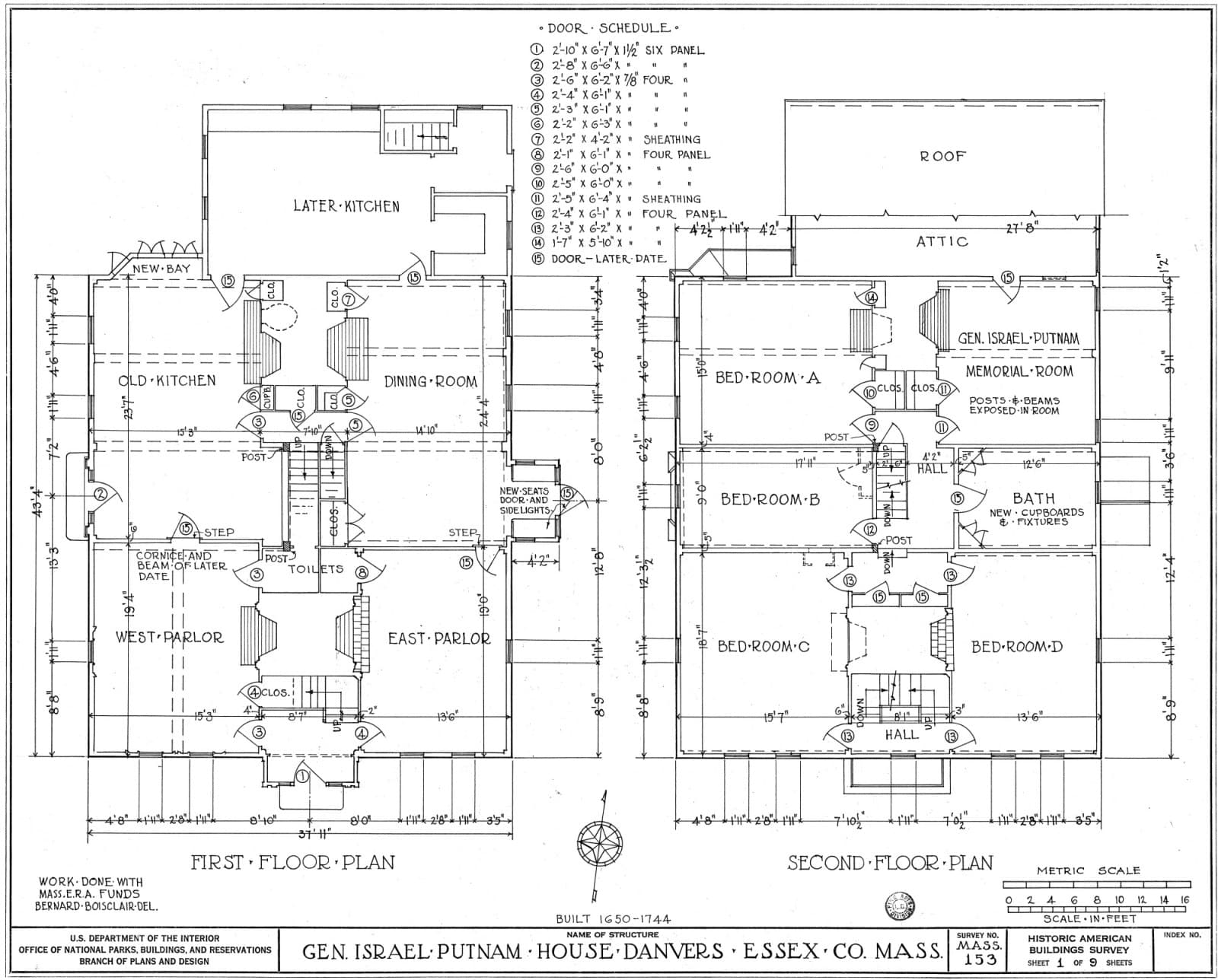 The scan
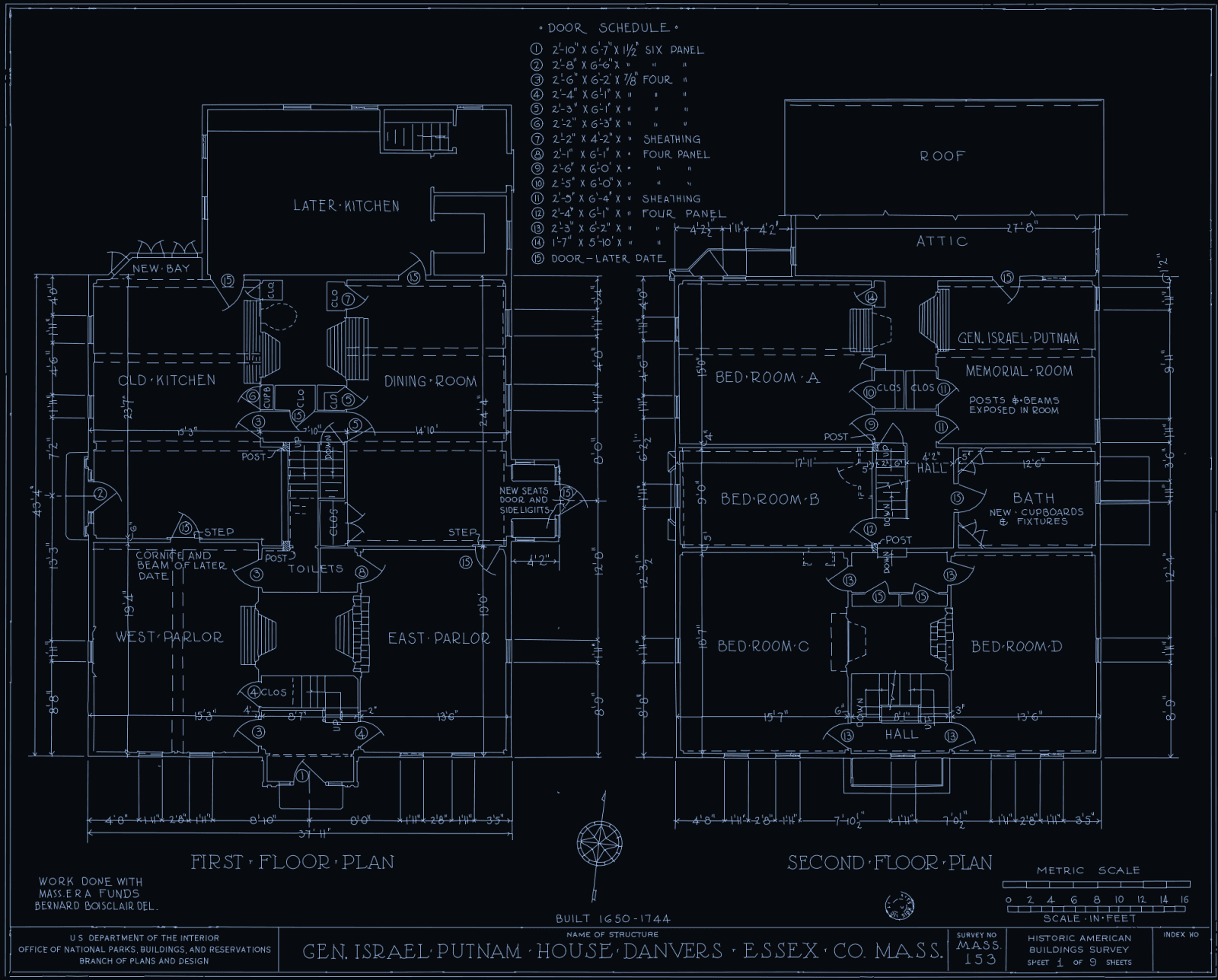 Bevell's DXF
Bevell suits
People who need a CAD-ready DXF from a scan or sketch without learning a vector editor: single lines, circles and arcs you can dimension, and the right size on import.
Inkscape suits
People who want a free tool, work in vectors anyway, and are happy to trace, tidy and size a drawing by hand, on their own computer.
Side by side
| Feature | Bevell | Inkscape |
|---|---|---|
| Price | Converting is free and unlimited, with no account. Downloads: 3 free on signup, then £1.99 for one more, £5.99 for five, or £9.99 a month for unlimited downloads. | Free and open source under the GNU GPL. No fee or subscription.Better here |
| Runs on | Any browser. Conversion runs on Bevell's servers. | Desktop app for Windows, Mac and Linux, so the image stays on your computer.Better here |
| Input | PNG, JPG and WebP up to 10 MB. PDF and TIFF up to 50 MB, one page per conversion. | Imports PNG, JPEG, TIFF, BMP, GIF, PDF and many more formats.Better here |
| Output | DXF and SVG from every conversion. Logo mode writes SVG only. | SVG, or DXF R12 or R14 through Save a Copy, among many other formats. |
| Tracing modes | Direct trace for drawings and scans, Outline only for a photo of an object, AI redraw for a rough sketch, Logo for flat colour artwork. | Brightness cutoff, Edge detection, Color quantization, Autotrace, Centerline tracing, and Multiple scans. |
| Centrelines or outlines | Direct trace and AI redraw follow the centre of each stroke, so a drawn line comes back as one line. Outline only traces the edge of an object in a photo. | Centerline tracing (autotrace), added in Inkscape 1.0, reduces a shape to an open path. The other modes trace outlines or silhouettes. |
| Arcs and circles in the DXF | Circles are written as CIRCLE entities and arcs as exact arc segments inside polylines, not chains of short lines. A hole has a centre and radius you can dimension.Better here | The R14 exporter writes paths as lines and splines, with an option to flatten curves into straight segments. |
| True scale | Drag across one dimension you know and type its value. The DXF is in millimetres at that size. | Coordinates come from the document: one user unit becomes one of the document unit, or of a base unit you pick. |
| Text on the drawing | Opt-in. Tick Read lettering as text and words become TEXT entities on a TEXT layer. Left off, lettering is traced as drawn.Better here | Trace Bitmap turns the image into paths, lettering included. |
| Colour | Logo mode reduces flat artwork to at most six colours and writes a filled SVG. | Color quantization and Multiple scans trace colours, one object per colour or scan. |
| Editing | No editor. Change the mode or settings and convert again, then edit in your CAD program. | A full vector editor: node editing, boolean operations, text and more.Better here |
Better here marks the stronger choice on that row, on either side. Inkscape was checked on their own pages on 29 September 2026; the sources are at the foot of the page. Prices and plans change, so check theirs before deciding.
When to pick Inkscape instead
- You want to pay nothing, including for the file.
- The drawing is headed for a vector editor anyway, and you will tidy it by hand.
- It is artwork rather than a part, where Inkscape's colour tracing and editing tools are the point.
- The image cannot leave your computer.
- Your file is a format Bevell does not take, such as BMP or GIF.
Try it on your own drawing
Converting is free and unlimited, with no account. You only pay when you download.
Drop a file here or click to browse
Photo: PNG, JPG, WebP, up to 10 MB and 52 megapixels
Drawing: PDF, TIFF, up to 50 MB
Free to convert, no sign-up
Common questions
Can Inkscape trace a centreline?
Yes. Since Inkscape 1.0, Trace Bitmap has a Centerline tracing (autotrace) mode, which reduces a shape to an open path, and its guide recommends it for handwriting and line drawings. The other modes follow the edges of dark areas, so a drawn line becomes a closed outline around the stroke.
How do I get a DXF out of Inkscape?
Use Save a Copy and pick Desktop Cutting Plotter (AutoCAD DXF R14) or R12. The R14 exporter writes lines and splines, and can flatten curves into straight segments for tools that do not read them. Keep your working file as Inkscape SVG, as its guide recommends.
Why pay for Bevell when Inkscape is free?
You might not need to. Bevell saves time on a CAD file: single lines from a drawing, circles and arcs you can dimension, and a DXF that imports at true size from one measurement. Converting and previewing are free, so try both on your own drawing first. Downloads are 3 free on signup, then £1.99 for one more, £5.99 for five, or £9.99 a month for unlimited downloads.
Can I finish Bevell's output in Inkscape?
Yes. Take the SVG from the same conversion: it carries its width and height in millimetres, so it opens in Inkscape at true size.
Does either read text on a drawing?
Bevell can: tick Read lettering as text and words become editable TEXT entities. Inkscape's Trace Bitmap turns lettering into paths like everything else in the image.
Sources: 7 pages from Inkscape, read on 29 September 2026
- Inkscape Beginners' Guide, Professional Software, inkscape-manuals.readthedocs.io/en/latest/professional-software.htmlFor: Price, Runs on
- Inkscape Beginners' Guide, Tracing an Image, inkscape-manuals.readthedocs.io/en/latest/tracing-an-image.htmlFor: Tracing modes, Centrelines or outlines, Text on the drawing, Colour
- Inkscape Beginners' Guide, Importing other File Formats, inkscape-manuals.readthedocs.io/en/latest/import-other-formats.htmlFor: Input
- Inkscape Beginners' Guide, Exporting to other File Formats, inkscape-manuals.readthedocs.io/en/latest/export-other-formats.htmlFor: Output
- Inkscape Beginners' Guide, contents, inkscape-manuals.readthedocs.io/en/latestFor: Editing
- Inkscape 1.0 release notes, wiki.inkscape.org/wiki/Release_notes/1.0For: Centrelines or outlines
- Inkscape's DXF R14 exporter and its help text, gitlab.com/inkscape/extensions/-/blob/master/dxf_outlines.inxFor: Arcs and circles in the DXF, True scale