Bevell vs Scan2CAD
A desktop conversion suite or a browser converter, for turning scans and sketches into DXF.
Scan2CAD is desktop software for Windows and macOS that converts images and PDFs to DXF, DWG and G-code. It cleans up scans before tracing and reads text, and its Business tier adds batch conversion and a Python API. It is sold by subscription.
Bevell does the core of the same job in a browser, for flat scans, sketches and photos. One goes in; a DXF and an SVG come out at the size you set from one known dimension, as one layer of linework. Converting is free and unlimited, and you pay only for the files you download.
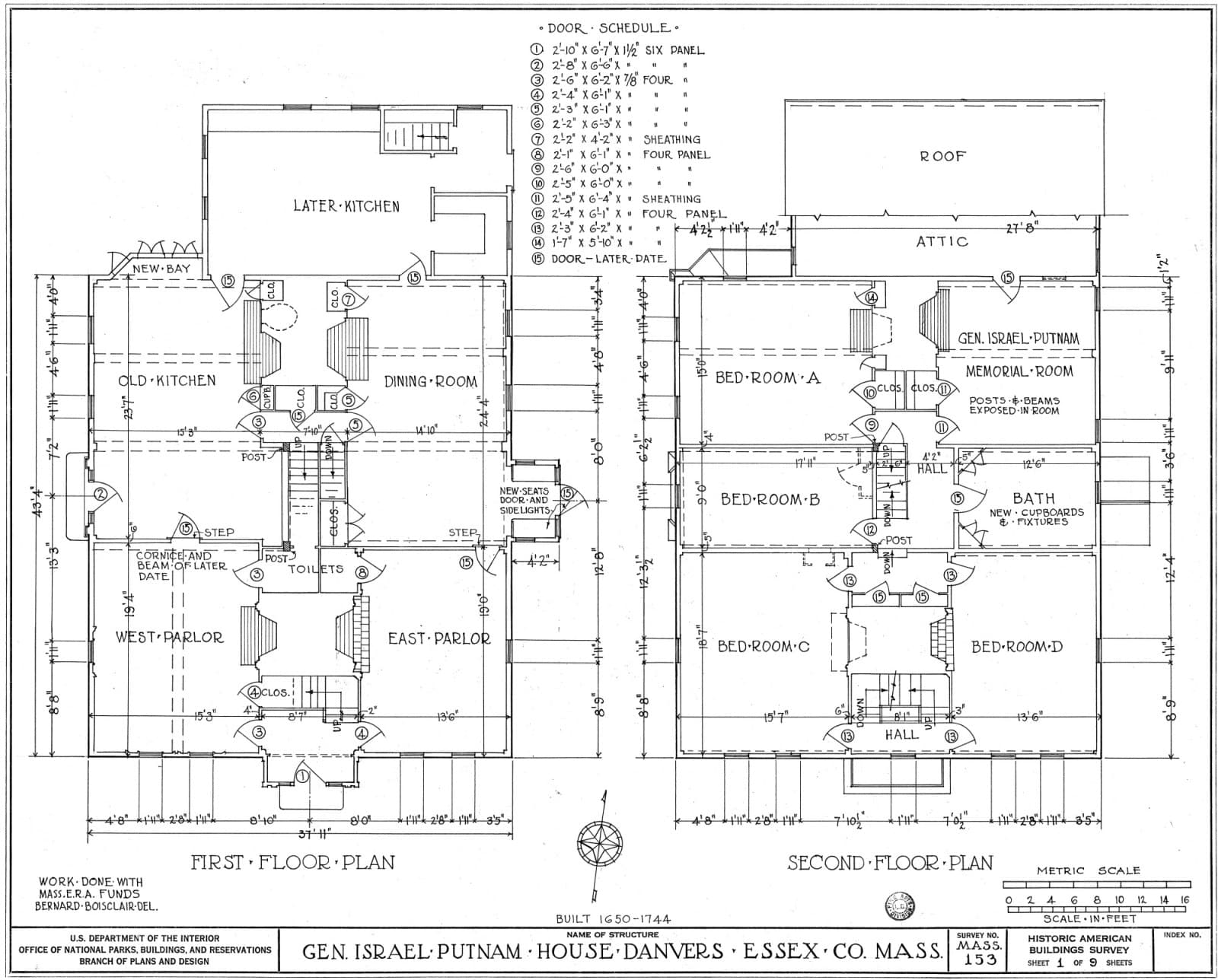 The scan
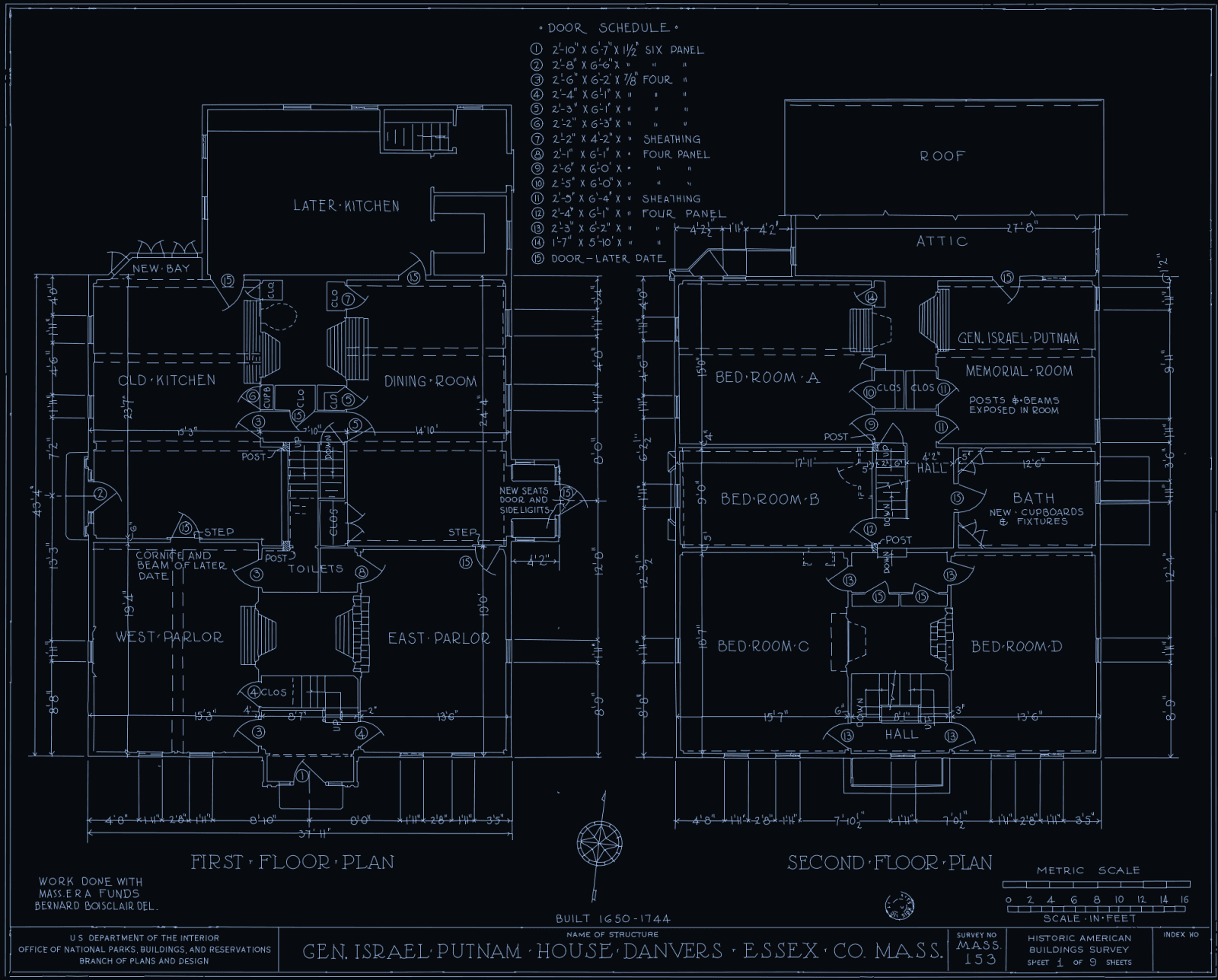 Bevell's DXF
Bevell suits
Anyone with an occasional scan, sketch or photo to turn into DXF, who would rather not install software or take a subscription, and wants to see the result before paying.
Scan2CAD suits
Teams converting drawings every week or in batches, who want DWG or G-code out, image cleanup and vector editing before export, and files processed on their own machines.
Side by side
| Feature | Bevell | Scan2CAD |
|---|---|---|
| Runs on | Any browser. Nothing to install.Better here | Desktop app for Windows 7 or later and macOS 14.8 or later. |
| Where the file is processed | Uploaded to Bevell's servers. Signed-out uploads are deleted within 24 hours; signed-in files are kept with the account. AI redraw and Logo also send a copy to OpenAI. | On your computer. Optional enhanced conversion, off by default, uploads the file to their server.Better here |
| Price | Converting is free and unlimited, with no account. Downloads: 3 free on signup, then £1.99 for one more, £5.99 for five, or £9.99 a month for unlimited downloads.Better here | Pro is $89 a month billed monthly, 10% less billed yearly. Business adds batch, API and network or offline licensing, with no price on the pricing page. 14-day free trial with all features. |
| Input | PNG, JPG and WebP up to 10 MB. PDF and TIFF up to 50 MB, one page per conversion. | Images and PDFs, raster or vector. Its scanning guide recommends TIFF at 200 to 500 dpi. |
| Output | DXF and SVG from every conversion. Logo mode writes SVG only. | DXF, DWG, PDF and G-code.Better here |
| Centrelines or outlines | Direct trace and AI redraw follow the centre of each stroke, so a drawn line comes back as one line. Outline only traces the edge of an object in a photo. | Either: the raster line width setting chooses centreline or outline tracing. |
| Arcs and circles | Circles are written as CIRCLE entities and arcs as exact arc segments inside polylines, not chains of short lines. | Object recognition converts elements to their CAD equivalents, telling circles from arcs. |
| True scale | Drag across one dimension you know and type its value. The DXF is in millimetres at that size. | Two methods for assigning scale or dimensions, covered in its tutorials. |
| Text on the drawing | Opt-in. Tick Read lettering as text and words become TEXT entities on a TEXT layer. Left off, lettering is traced as drawn. | OCR converts text to editable text objects. Enhanced OCR is optional and uses credits included in every plan. |
| Layers | One linework layer, plus a TEXT layer when lettering is read. Bevell is built for flat scans, sketches and photos, where there are no layers to keep, so it does not sort a drawing into layers yet. | Keeps the layers of the PDF, DWG and DXF files it opens.Better here |
| Cleanup and editing | None in the tool. Try another mode or setting and convert again, then edit in your CAD program. | Raster cleanup (threshold, speckle and hole removal, deskew) and vector editing before export.Better here |
| Batch and automation | One file and one page per conversion. No API. | Batch converts a folder, or every page of a PDF. Python API on the Business tier.Better here |
Better here marks the stronger choice on that row, on either side. Scan2CAD was checked on their own pages on 29 September 2026; the sources are at the foot of the page. Prices and plans change, so check theirs before deciding.
When to pick Scan2CAD instead
- You convert drawings every week or have a backlog. Batch conversion and the Python API do what Bevell cannot.
- You need DWG or G-code rather than DXF and SVG.
- Files must stay on your own machine. Its standard conversions run locally, and the Business tier offers offline licensing.
- Your scans are dirty or skewed and you want to clean them before tracing, or edit the vectors before export.
- You start from vector PDFs or DWG files and want their layers kept. Bevell reads a flat picture and writes one linework layer.
Try it on your own drawing
Converting is free and unlimited, with no account. You only pay when you download.
Drop a file here or click to browse
Photo: PNG, JPG, WebP, up to 10 MB and 52 megapixels
Drawing: PDF, TIFF, up to 50 MB
Free to convert, no sign-up
Common questions
What does each cost?
Scan2CAD Pro is $89 a month billed monthly, or 10% less billed yearly, after a 14-day free trial. Its Business tier has no price on the pricing page. On Bevell, converting and previewing are free and unlimited with no account; downloads are 3 free on signup, then £1.99 for one more, £5.99 for five, or £9.99 a month for unlimited downloads.
Is scan2cad.online the same as Scan2CAD?
No. Scan2CAD.online is a separate web converter. Its own footer says it is an independent project, not affiliated with or authorized by the Scan2CAD desktop software vendor.
Does Bevell read text on a drawing like Scan2CAD's OCR?
Only if you ask. Tick Read lettering as text and words become editable TEXT entities on their own layer, keeping position, size and angle but not the original letterforms. It starts off because handwriting converts better traced than misread. Dimension text is never used to set the scale.
Can Bevell give me DWG or G-code?
No. It writes DXF and SVG. DXF opens in AutoCAD and every other CAD package, and CAM software builds toolpaths from it, but if you need DWG or G-code straight from the converter, Scan2CAD writes both.
How accurate is Bevell on a scan?
On a clean 200 dpi scan of a flat part, Outline only traced its 15 shapes to within 1 px of the scan's edges at the 95th percentile, which is 0.17 mm, and 2.2 px at worst. A drawing is only as accurate as its scan and your scale: set it from the longest dimension you can, then check a second one in CAD.
Sources: 12 pages from Scan2CAD, read on 29 September 2026
- Scan2CAD home page, scan2cad.comFor: Runs on, Batch and automation
- Scan2CAD pricing, scan2cad.com/pricingFor: Price, Text on the drawing, Batch and automation
- Scan2CAD free trial, scan2cad.com/free-trialFor: Price
- Scan2CAD CAD features, scan2cad.com/cad-featuresFor: Input, Arcs and circles, Text on the drawing, Layers
- Scan2CAD raster images for CNC, scan2cad.com/docs/converting-raster-images-cncFor: Output
- Scan2CAD security, scan2cad.com/docs/securityFor: Where the file is processed
- Scan2CAD raster images for CAD, scan2cad.com/docs/converting-raster-images-cadFor: Output, True scale, Cleanup and editing
- Scan2CAD improving raster conversion accuracy, scan2cad.com/docs/improving-raster-conversion-accuracyFor: Input, Centrelines or outlines, Cleanup and editing
- Scan2CAD vector images for CAD, scan2cad.com/docs/converting-vector-images-cadFor: Input
- Scan2CAD on object recognition, scan2cad.com/blog/cad/object-recognition-in-cadFor: Arcs and circles
- Scan2CAD batch conversion and API, scan2cad.com/automate-featuresFor: Batch and automation
- Scan2CAD.online footer, scan2cad.online