Bevell vs online image to DXF converters
General file converters that also write DXF, against a converter made for CAD.
Search for a free JPG or PNG to DXF converter and most results are general file converters such as CoolUtils, Convertio and AnyConv. Each takes an image in the browser, traces it on its servers and hands back a DXF.
They trace the edges of dark areas, which suits a silhouette or a logo. On a drawing, where every line has width, CoolUtils' own FAQ says what happens: thick strokes trace as two parallel lines, the outline of the stroke.
Bevell is built for the drawing case. It traces the centre of each stroke, keeps circles and arcs as circular geometry you can dimension, and scales the file from one dimension you know.
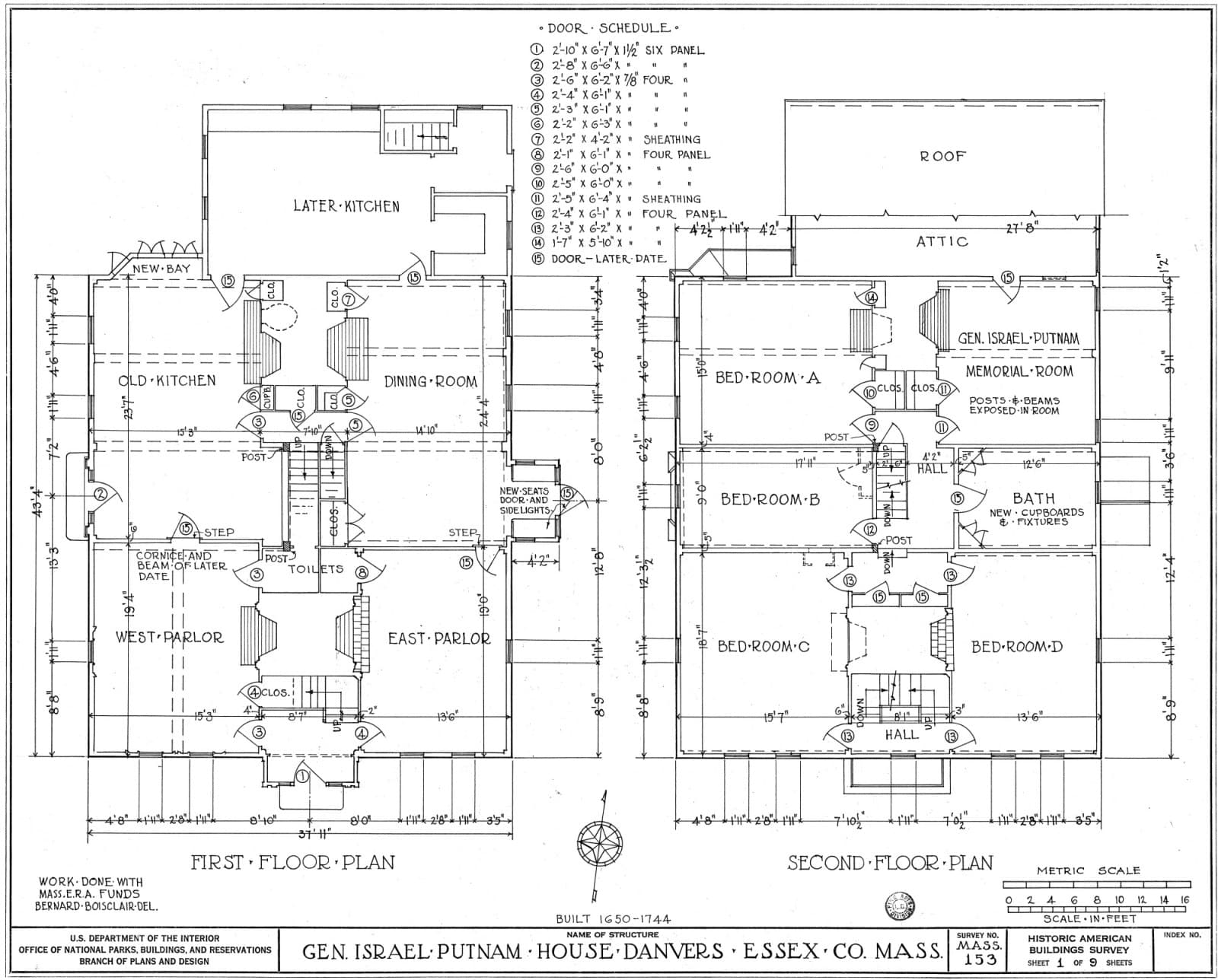 The scan
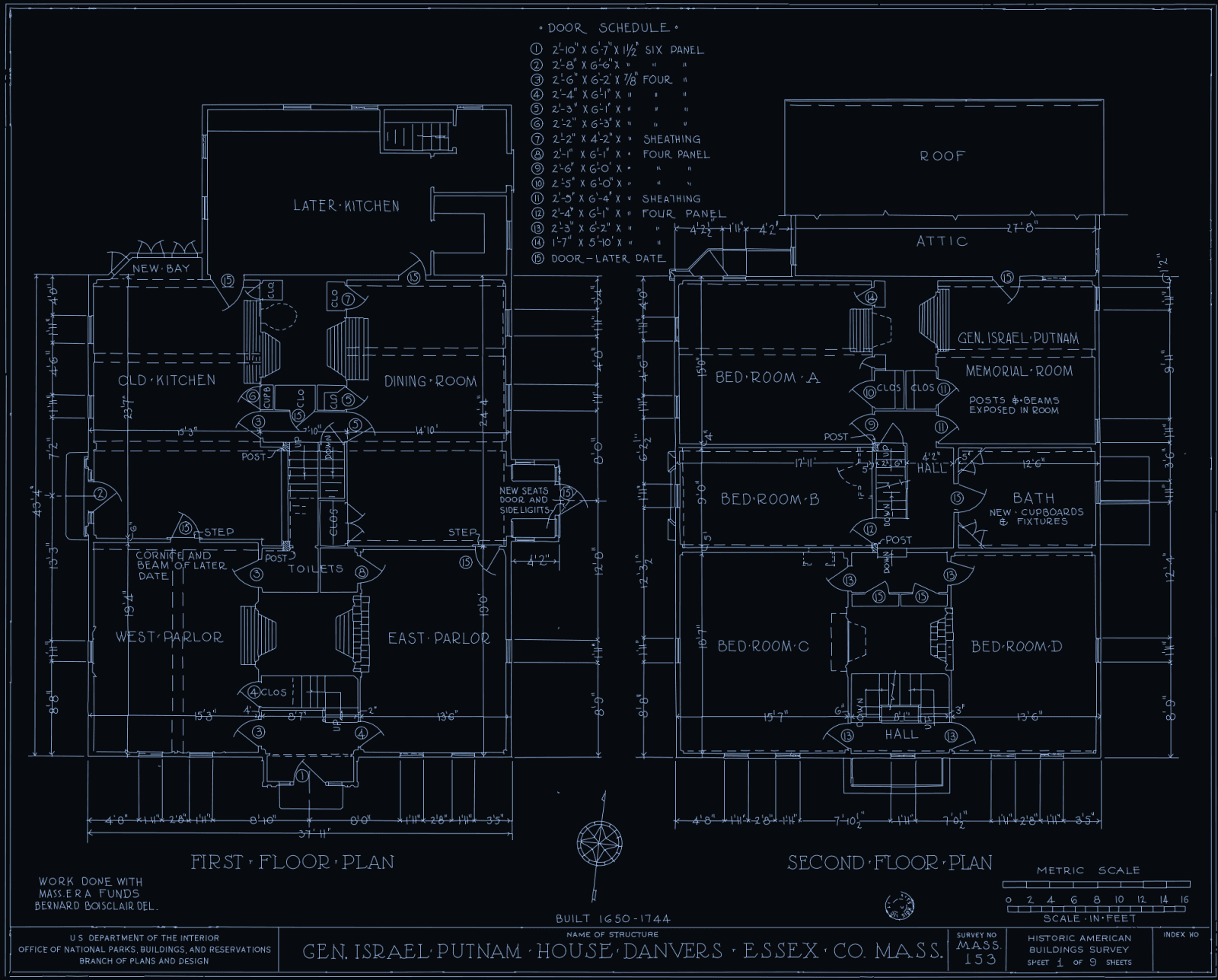 Bevell's DXF
Bevell suits
A scan, sketch, blueprint or photo of a part that has to come out as single lines at true size, ready to dimension or cut.
Online converters suit
A quick, free conversion of a clean logo, silhouette or simple shape, with no account, or many files at once.
Side by side
| Feature | Bevell | CoolUtils | Convertio | AnyConv |
|---|---|---|---|---|
| How it traces | Direct trace and AI redraw follow the centre of each stroke, so a drawn line comes back as one line. Outline only traces the edge of an object in a photo.Better here | Traces edges where dark meets light. Its FAQ: thick strokes trace as two parallel lines. | Traces edges and shapes into vector paths, approximating the original design. | Automatic vectorization traces the shapes in the image. |
| Arcs and circles | Circles are written as CIRCLE entities and arcs as exact arc segments inside polylines, not chains of short lines. | Lines, arcs and polylines. | Not stated on its page | Not stated on its page |
| True scale | Drag across one dimension you know and type its value. The DXF is in millimetres at that size. | Not stated on its page | Not stated on its page | Not stated on its page |
| Input | PNG, JPG and WebP up to 10 MB. PDF and TIFF up to 50 MB, one page per conversion. | PNG up to 50 MB on its PNG to DXF page. | PNG, JPG, TIFF, WebP, HEIC, BMP and many more. | PNG or JPG up to 100 MB. |
| Output | DXF and SVG from every conversion. Logo mode writes SVG only. | DXF R12/2000. | DXF, or any of more than 200 formats. | DXF, among many formats. |
| Price | Converting is free and unlimited, with no account. Downloads: 3 free on signup, then £1.99 for one more, £5.99 for five, or £9.99 a month for unlimited downloads. | Free, no signup. Its desktop Total CAD Converter is a one-time licence.Better here | Free tier. Paid plans from $11.99 a month, or $6.99 a month billed yearly.Better here | Free.Better here |
| Several files at once | One file per conversion. | Batch in its paid desktop app.Better here | Batch processing on premium plans.Better here | Yes, batch upload.Better here |
| After conversion | Uploaded to Bevell's servers. Signed-out uploads are deleted within 24 hours; signed-in files are kept with the account. AI redraw and Logo also send a copy to OpenAI. | Both files are deleted from its servers after the conversion. | Files are bound to your IP, so only you can fetch the output. | Files are deleted from its servers shortly after conversion. |
Better here marks the stronger choice on that row, on either side. CoolUtils, Convertio and AnyConv were checked on their own pages on 29 September 2026; the sources are at the foot of the page. Prices and plans change, so check theirs before deciding.
When to pick an online converter instead
- The image is a clean silhouette, logo or simple shape, where tracing its edge is what you want.
- You need a DXF now, free, with no account.
- You have many files to push through at once.
- You need a format Bevell does not write. Convertio lists over 200.
Try it on your own drawing
Converting is free and unlimited, with no account. You only pay when you download.
Drop a file here or click to browse
Photo: PNG, JPG, WebP, up to 10 MB and 52 megapixels
Drawing: PDF, TIFF, up to 50 MB
Free to convert, no sign-up
Common questions
Why does a free converter give me double lines?
Because it traces the edges of dark areas, and a drawn line has two edges. CoolUtils' FAQ puts it directly: thick strokes trace as two parallel lines, the outline of the stroke. Bevell's Direct trace and AI redraw thin each stroke to its centre first, so a line comes back as one line.
What does Bevell cost next to a free converter?
Converting and previewing are free and unlimited with no account, so you can compare on your own drawing first. Downloading takes an account: 3 free on signup, then £1.99 for one more, £5.99 for five, or £9.99 a month for unlimited downloads. CoolUtils and AnyConv charge nothing for a DXF, and neither does Convertio's free tier.
Will the DXF be the right size?
On Bevell, yes, once you set the scale: drag across a dimension you know, type it, and the DXF is written in millimetres at that size. We found no scale setting described on the three converter pages above, so check the size of their output in CAD before you cut.
Can I convert a PDF drawing?
Yes. Bevell takes a PDF or TIFF up to 50 MB and converts one page at a time, traced like any scan. A PDF exported from CAD is rasterised and retraced rather than having its vectors extracted, so if you can get the original CAD file, use that.
Where does my file go?
Direct trace and Outline only run on Bevell's own servers. AI redraw and Logo send a copy to OpenAI. Signed-out uploads are deleted within 24 hours; signed in, your files are kept while your account is active.
Sources: 4 pages from CoolUtils, Convertio and AnyConv, read on 29 September 2026
- CoolUtils PNG to DXF, coolutils.com/online/PNG-to-DXFFor: How it traces, Arcs and circles, Input, Output, Price, Several files at once, After conversion
- Convertio PNG to DXF, convertio.co/png-dxfFor: How it traces, Input, Output, Price, Several files at once
- Convertio pricing, convertio.co/pricingFor: Price, After conversion
- AnyConv PNG to DXF, anyconv.com/png-to-dxf-converterFor: How it traces, Input, Output, Price, Several files at once, After conversion